This action is permanent. Deleting your account will remove access to all monitoring data, alerts, and device history. Your IoT devices will stop functioning until re-paired with a new account.
How to delete your account
Option 1 — Mobile app (iOS & Android)
- Open the OdeCare app and sign in.
- Tap Settings in the bottom navigation bar.
- Scroll to the Security section.
- Scroll down and tap Delete Account.
- Read the confirmation message and tap Delete to confirm.
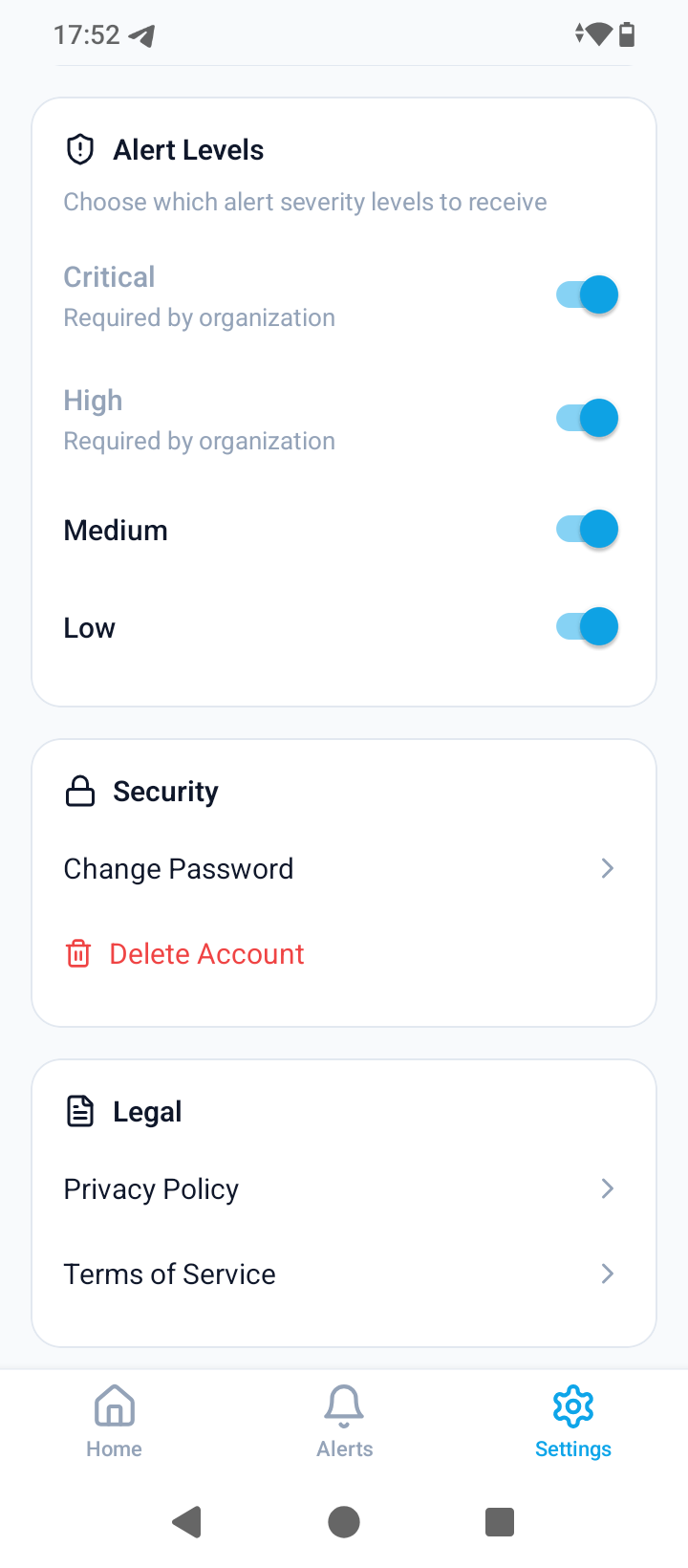
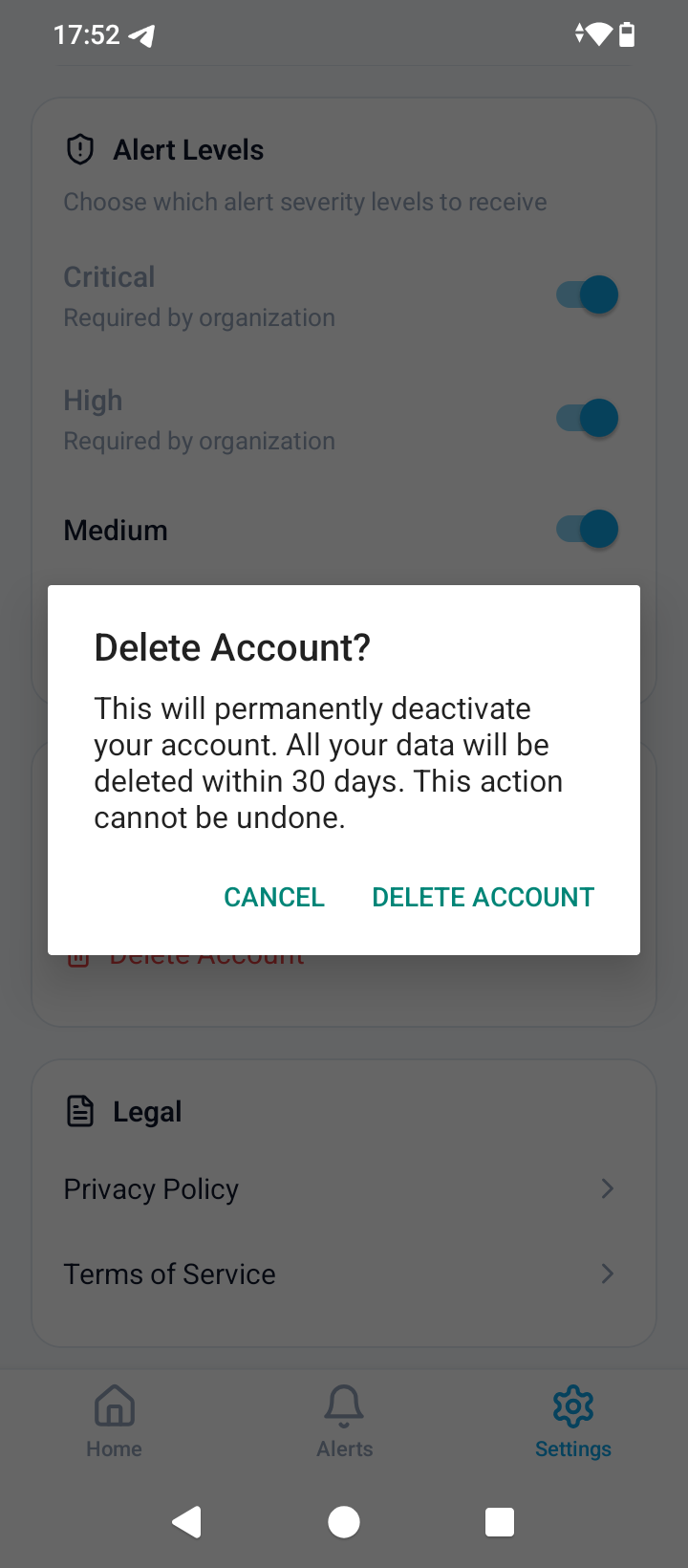
Settings → Security → Delete Account
Option 2 — Web dashboard
- Go to odecare.com/app/ and sign in.
- Click your avatar or name in the top-right corner to open Account Settings.
- Scroll to the Danger Zone section at the bottom of the page.
- Click Delete Account and confirm by entering your email address.
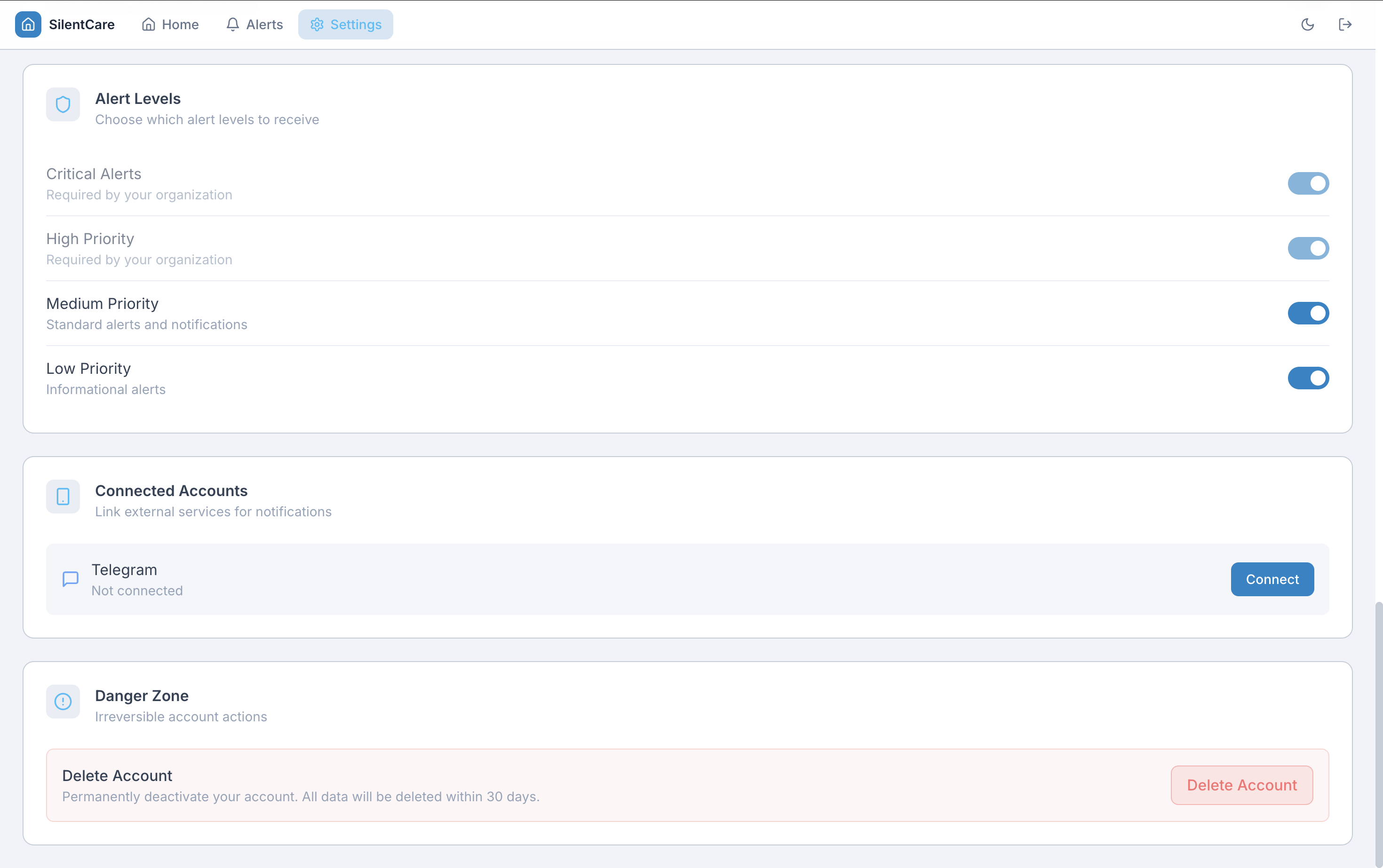
Account Settings → Danger Zone → Delete Account
Can't access the app or dashboard? Email us at hi@odecare.com with the subject line “Account Deletion Request” and we'll process it within 5 business days.
What happens to your data
When you delete your account:
- Your account is immediately deactivated — you will be signed out of all devices
- All personal data is permanently deleted within 30 days
- IoT devices paired to your account are unlinked and reset
- Push notification tokens are revoked immediately
| Data type | What happens | Timeframe |
|---|---|---|
| Name, email, phone, password | Permanently deleted | Within 30 days |
| Motion & presence events | Permanently deleted | Within 30 days |
| Alert history | Permanently deleted | Within 30 days |
| Medication & sleep data | Permanently deleted | Within 30 days |
| Push notification tokens | Revoked immediately | Immediate |
| Anonymised aggregate statistics | Retained (no personal identifiers) | Indefinitely |
| Financial / billing records | Retained for legal compliance | As required by law |
Deleting only specific data
If you want to remove specific data without deleting your account:
- Phone number — Settings → Profile → clear the phone number
- Notification preferences — Settings → Notifications → disable any channel
- All data without closing account — email hi@odecare.com with a data erasure request
Questions?
If you have questions about account deletion or your data, our privacy team is here to help.
Contact hi@odecare.comSee also: Support · Privacy Policy · Terms of Service