Granny Cam: Pros, Cons and Alternatives for Elderly Safety
Will a granny cam actually tell you when something goes wrong? What a $30 camera does and misses, five questions to ask, and camera-free options.
“If I put a camera in Mum’s living room, will I actually know when something goes wrong?” That is the question under every granny cam search. The honest answer: you will know when you look. Here is what a $30 camera really buys, where it fails, and what belongs in the rooms it can never film.
The short answer
A granny cam records. It does not watch. Footage becomes knowledge only when someone opens the app, and nobody opens it at the moment that matters. The CDC counts one in four adults over 65 falling each year. Tinetti’s New England Journal of Medicine work: most cannot get up without help, and lying unassisted past an hour sharply worsens what follows. The useful question is not “can I see her?” It is “how fast does anyone find out?”
“I can look in” feels like “I will know.” A camera delivers the first and quietly implies the second.
What a granny cam actually does
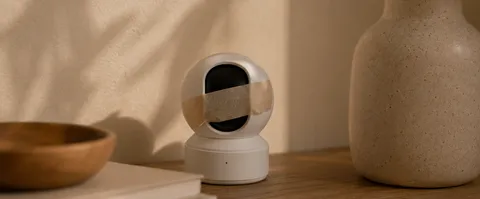
A granny cam is an ordinary indoor Wi-Fi camera: a Wyze Cam, a TP-Link Tapo, a Ring Indoor Cam. $25–100 for the hardware as of mid-2026, plus $3–10 a month for cloud clips. Motion alerts report one thing: pixels changed. A curtain in a draft and a person on the floor produce the same ping.
The spec sheet reads well. Here is what each line actually buys in an elderly parent’s home:
| Spec on the box | What it means | What it does not fix |
|---|---|---|
| 1080p or 2K video | Sharp enough to read a face across the room | Sharp footage of a fall is still footage nobody saw in time |
| Night vision | A grey infrared image after lights-out | The rooms where nights go wrong — bedroom, bathroom — are the rooms a lens is ruled out of |
| Wide angle / pan-tilt lens | One camera covers more of one room | The hallway and bathroom stay off-camera however far it rotates |
| SD card or cloud storage | $0 once, or $3–10 a month for 7–60 days of clips | How long footage is kept changes nothing at the moment of a fall |
| Two-way audio | You can speak to her through the camera | Recorded sound is the legal tripwire in many places (see question 5) |
| “Easy-to-use app” | Set up in minutes, feed on your phone | Someone still has to open it — the app watches nothing on its own |
Now run the scenario you fear. Your mother goes down in the hallway on a Tuesday afternoon, between kitchen and bathroom. The camera on the living-room bookshelf keeps filming an empty sofa. Even a fall inside the frame just sits in the recording history until someone opens the app that evening.
The quieter failure is false comfort. Seeing her at breakfast says nothing about after lunch. A daughter we spoke with kept a camera above her mother’s kitchen table for a year. She would open the app on the train home, see the kettle steaming, and relax. Then she noticed she had almost stopped calling — the camera had replaced the conversation, not the risk.
When a camera is genuinely useful
A camera earns its shelf space when the question is narrow, visual and agreed:
- checking the front door — a Ring or Nest doorbell does this better than any indoor unit;
- reviewing a known incident in a shared room: did the evening carer arrive, what knocked the lamp over;
- a short recovery window she agreed to — six weeks after a hip operation, camera down afterwards;
- watching one visible object: the stove, the back door, the pill organiser on the counter.
Each has a place, a purpose and an end date. “Keeping an eye on Mum” has none of the three — it just grows, without defining what any of it should trigger.
Five questions before you install
1. Has she seen exactly what you will see?
Sit together and open the live view. Show the recording history, the microphone toggle, the grey night-vision image, the access list. Agreeing to “a camera” is not agreeing to all of that. If she rules out the bedroom, that is the answer.
2. Which rooms are excluded?
Bathrooms and bedrooms are where a lens cannot go — and where the floor is hard, wet and visited nightly. One living-room camera covers one room; say so in the family chat, then fill the gap with something that is not a lens (see below).
3. Who actually opens the feed?
If three siblings each assume another one checks, nobody checks. Write the rota where everyone sees it: who looks when, who covers when the first viewer is on a plane, and what triggers a look — an unanswered call, a set time. “Whenever I remember” is not a response plan.
4. Who else can get into the recordings?
A camera in your mother’s home is a door into it — for family, for anyone she gives the password to, and for hackers when the basics are skipped. The FTC’s home-camera security guidance is the ten-minute checklist: unique password, two-factor login, current firmware, encrypted connection. Add two house rules: decide how long recordings are kept, and delete viewers the day they stop needing access, starting with the former carer.
5. What does the law say where she lives?
One thing to check before you act: rules differ by country and state. Audio is the usual tripwire — a silent picture and recorded sound are treated very differently — and paid carers in frame turn a family camera into a workplace one. UK households can start with the ICO’s domestic CCTV guidance; in the EU, the EDPB’s video-device guidelines set the frame.
Hidden cameras and carer worries
A share of granny cam searches is not about falls at all. It is about a carer: meals that seem missed, medication that does not go down on schedule, hygiene slipping, a parent who has gone quiet about how the visits go. That is a different problem, and a camera plays a different role in it.
At home, a visible camera announced to everyone usually beats a hidden one. Care changes at the point of knowing, not at the point of playback — and hidden footage of a carer can be unusable exactly where you would want to rely on it, because consent rules were skipped. A camera that keeps “accidentally” ending up unplugged or turned to the wall is itself information: log the dates and raise it with the agency directly.
In a nursing home or assisted living, the question stops being a family decision. In the US it is state-law territory — some states explicitly allow a camera in a resident’s room with the resident’s and any roommate’s written consent, others say nothing and the facility’s policy fills the gap. In the UK and EU, the home’s policy and data-protection law set the terms. The rules, country by country, are in our guide to cameras in care homes and the legal issues.
And if what you actually suspect is abuse or neglect: a camera gathers evidence slowly, at the price of weeks in which it continues. The faster route is the home’s management, the local regulator or adult protective services — a hidden lens is not a substitute for the report you already know you should make.
Camera-free alternatives by need
| What the family needs | Option to test | Main limit |
|---|---|---|
| A human check-in | A scheduled daily call or check-in service | Covers only the agreed minutes |
| Help away from home | Mobile alert button or a smartwatch with fall detection | Only works worn, charged — and pressed |
| Door and room activity | Door and motion sensors, from about $20 each | An open door does not say who, or why |
| Automatic alerts in private rooms | Installed radar monitoring | Home only; a person still has to respond |
The wearable row hides the biggest catch. Monitored buttons run $25–45 a month as of mid-2026 — the fee buys a staffed call centre. Yet in one study, 97% of emergency buttons worn during real falls were never pressed. People freeze, feel embarrassed, or never reach the thought — and a watch on the nightstand counts for nothing.
Radar senses without filming: a wall sensor reads presence and movement across the whole room — no lens, no microphone, nothing to replay. It works in the bathroom precisely because there is no image of anyone in it. The trade: no visual confirmation, coverage only in rooms you fit.
OdeCare is our version of that trade. We install wall radar sensors in the rooms the family chooses — bathroom included — and the app shows the day’s rhythm: activity, sleep, night getting-up, slow changes worth a phone call. Three things we do not do: no video, ever; nothing past the front door; and we are not the responder — the alert lands on your phone, and a human still has to knock.
How to decide together
Finish this sentence before spending anything: “I am trying to know ___ so that I can ___.” If the blank needs a picture — who is at the door, is the stove off — buy the camera and point it at exactly that. If it needs an automatic alert, a trend, a conversation or anything past the doormat, no camera fits at any price.
The version of this worth aiming for is independence with oversight: her routine stays hers, unwatched, and you get a signal only when the routine breaks. Measure every option on this page against that standard — not “can I see her right now?” but “does she stay unfilmed, and do I still find out in time?” A daily photo of the kettle is neither.
Then ask the person who will live under it: “What would help you, without making home feel watched?” A plan she helped choose is the only kind still running a year later. For the fall-specific technologies that need no lens at all, see fall detection without cameras; for every camera-free way to check in, from daily calls to sensors, see how to monitor an elderly parent without a camera. Both sit inside the bigger decision — choosing a senior monitoring setup for the whole home.