Lifeline Fall Detection Review: Fit, Limits and Cost
A Lifeline fall detection review based on official guides and terms: how HomeSafe and the Smartwatch work, which falls they miss and what they cost.
The discharge nurse says it almost in passing: "You might want to look into a Lifeline for her." Your mother sits in the wheelchair beside you, cleared to go home after a fall in her own kitchen, and you're at the desk reading a Lifeline fall detection review on your phone. Here's what the brochure leaves out — and a weekend test that settles the decision.
The short verdict
Lifeline is a solid choice for someone who will actually wear the device. This is the company that invented the medical alert in 1974, spent years as Philips Lifeline, and belongs to Connect America today. The response center is real, and Lifeline's own fall-detection page is unusually candid: automatic detection is a backup, not a guarantee.
The problem it cannot solve is stamped into its own manuals: everything depends on the device being on the body. The CDC counts one in four adults 65 and over falling each year. In one study of real falls, 97% of worn emergency buttons went unpressed. And Mary Tinetti's research in the New England Journal of Medicine found most fallers cannot get up without help — and that lying unhelped past an hour sharply worsens what comes next. Every link in Lifeline's chain assumes the pendant is on the neck, charged, and in range.
Full disclosure: we build a competing product — wall sensors instead of wearables — so read this as a rival's review. Everything below comes from Lifeline's product pages, device guides and its March 2026 subscriber terms, checked 30 July 2026.
What Lifeline actually sells
HomeSafe is the classic setup: a countertop communicator with a speakerphone plus a wearable help button. Press it and an operator comes on the line. The optional AutoAlert upgrade swaps the basic button for a neck pendant that places the call itself when it registers a supported fall.
The Lifeline Smartwatch moves the same service to the wrist. Its quick-start guide documents a manual help button and automatic fall detection: when the watch decides you've fallen, it announces the event and counts down, with a moment to cancel before the response center answers. It runs on cellular, GPS and Wi-Fi, so daily charging becomes part of the safety routine.
On the Go is the mobile pendant for errands. The three formats do not behave alike, so match the quote to the exact device.
| Format | Best fit | Daily dependency |
|---|---|---|
| HomeSafe button | Someone home most of the day who will press a button | Wear it and stay within the communicator's range |
| HomeSafe with AutoAlert | Someone who accepts a neck pendant and wants a backup when pressing isn't possible | Wear the pendant, in the position the guide shows |
| Smartwatch | Someone who already wears a watch and leaves the house | Wear it, charge it daily, keep cellular service |
What Lifeline gets right
Your fee pays for people. The monthly bill staffs a response center 24/7 with your household file open: lockbox code, daughter's cell number, the neighbor with a key. When your mother presses the button and can't speak, that file is the product.
Lifeline documents its own weaknesses. The HomeSafe materials spell out button range and backup battery life. The smartwatch guide names its cellular and location limits. The subscriber terms state in plain print that fall detection targets certain types of falls. In this market, that candor is rare.
The watch is a real unlock for pendant refusers. Plenty of proud 80-year-olds won't wear a device that announces frailty but will wear something that looks like a Fitbit. If format is why the last button went unworn, the wrist is a genuine fix — as long as it gets charged.
Where Lifeline fall detection hits its limits
AutoAlert removes the button press, not the wearing step
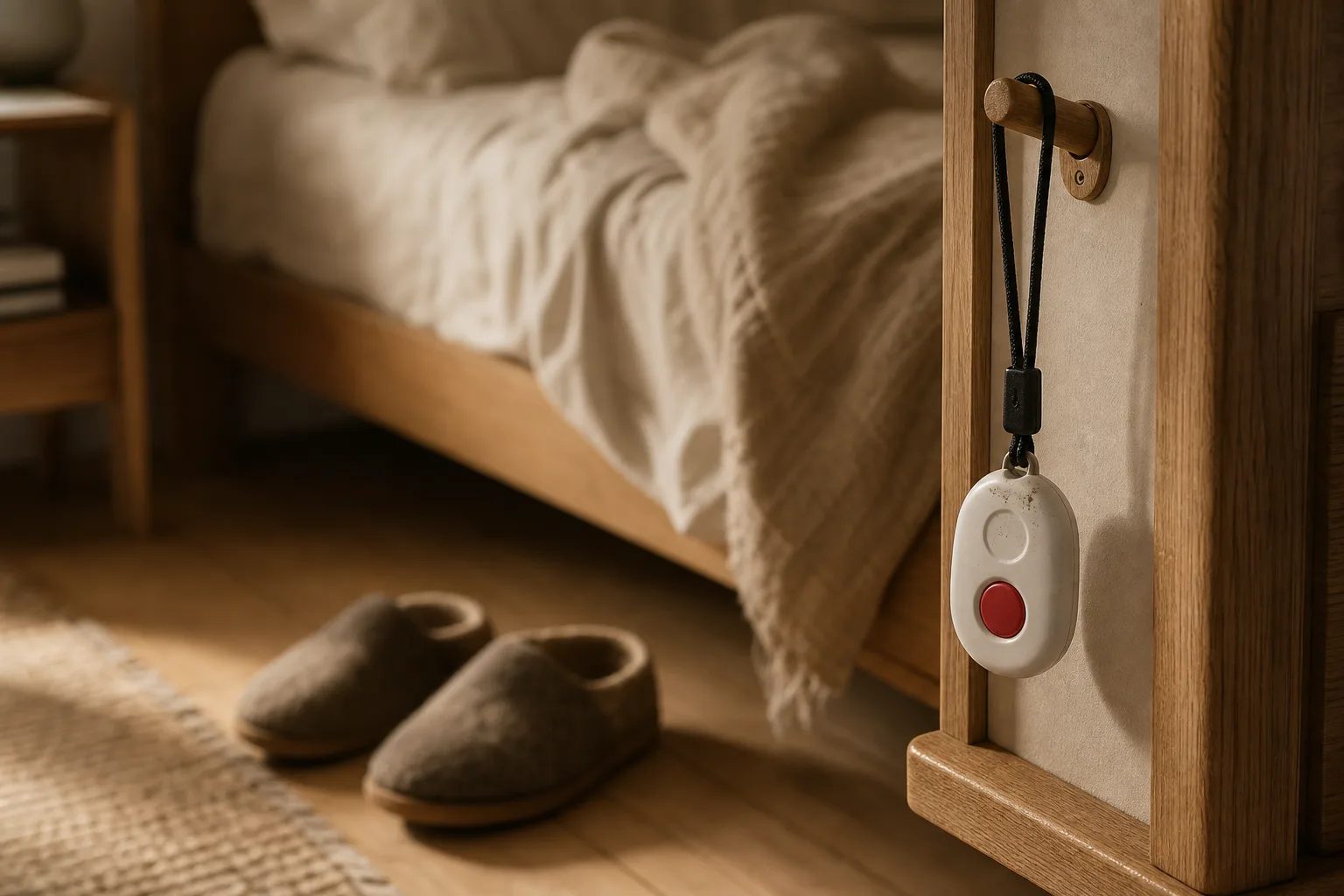
A daughter we spoke with bought her father a pendant after his first fall. On every visit she found it in the same place: on the hook by his bed, above his slippers. He took it off each evening and never rebuilt the habit of putting it on before his first walk down the hallway.
Automatic detection solves the moment a person can't press. It does nothing about the hours the device is off the body. Follow one real day: bed to bathroom, shower to towel, watch left charging on the dresser. Those hand-offs are where coverage actually lives.
A detected fall starts a chain — it doesn't finish one
Detection is step one of five: detect, transmit, answer, decide, open the door. Ask the sales rep the unglamorous questions. Who gets called when she can't speak, and in what order? How does a paramedic get through a deadbolted front door? A lockbox by the doorframe does as much real work in that chain as the accelerometer around her neck.
Mobile features live and die by signal
Lifeline's terms require adequate cellular coverage, and the watch guide warns that buildings and weather degrade location accuracy. Test the places she actually goes — the supermarket, the church basement, the far corner of the garden — not the coverage map.
Some falls never trigger anything
Accelerometer detection listens for a signature: sudden height change, then impact. Many real falls don't produce one — a knee buckling slowly at the kitchen counter, a slide from the edge of the bed onto carpet. Lifeline knows this, which is why every guide repeats the same instruction: press the button whenever you're able. Treat AutoAlert as a second chance, not a promise.
What it really costs
As of mid-2026, monitored medical alert service runs roughly $25-45 a month across the market. Lifeline's in-home plans sit inside that band, AutoAlert is a paid add-on, and some packages carry an upfront activation or device fee — the advertised starting price is never the final number. Get one written quote with every line on it, and verify it before signing:
- device and base monitoring;
- the fall-detection add-on;
- activation, installation and shipping;
- monthly versus annual billing;
- who owns the equipment and who replaces it;
- cancellation, refunds and the return window.
Then run the weekend test. Saturday: press the button from the bedroom and let the call complete — listen to the operator, check they read back the right contacts. Sunday: repeat from the far end of her real territory, the backyard or the basement laundry. Monday morning: look at the device. On her body, or on the hook? That glance is the whole review in one second.
Two money footnotes. Original Medicare doesn't cover medical alert service as a standard benefit; our Medicare medical-alert guide maps the plan-specific routes. And UK readers searching "lifeline alarm" usually mean council or housing-association telecare — a different service with different pricing, not this US brand.
Who should buy it — and who shouldn't
Buy Lifeline when three things are true: she'll wear the button or watch, the signal covers her actual life, and a staffed response center is worth $30-45 a month to your family. For those households it's a proven, boring, good decision — boring being a compliment here.
If wearing is the step that failed last time, a second pendant with a different logo fixes nothing. That gap is why we built OdeCare: camera-free radar sensors on the walls that notice falls and unusual stillness, with nothing to wear, press or charge. Three things we don't do: we don't follow her outdoors — coverage stops at the front door; we don't record video — radar reads position, never pictures; and we don't run without mains power and home internet.
Format first, brand second. Pick the system that keeps working through the shower, the stairs and the first trip down the hallway.