Medical Alert Systems for Seniors With No Monthly Fee
Medical alert systems for seniors with no monthly fee are real: auto-dial pendants from ~$80 and watches with free fall detection. Here is what $0/month.
Medical alert systems for seniors with no monthly fee exist, they work, and some cost less than one month of a Life Alert contract. What the ads skip: "no monthly fee" always means no monitoring center — the person answering the emergency will be you. For how the fee-free route compares with everything else over three years, see our elderly monitoring system cost guide.
The one sentence that explains every no-fee device
Monitored systems charge $25–45 a month because that money pays people — trained operators on shift around the clock, waiting for a button that may never be pressed. Remove the fee and you remove the people. What's left is hardware that calls you.
That's not a scam; it's a different deal. A one-time $120 pendant plus a family that reliably picks up beats a $40/month contract nobody can afford by year three. But you have to take the job seriously, because at 3 a.m. the "monitoring center" is your phone, face-down on the nightstand, on Do Not Disturb.
The three real options, with real prices
1. Auto-dial pendants — from about $80, once
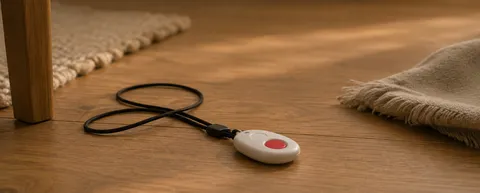
Devices like LogicMark's Guardian Alert and Freedom Alert lines have been doing this for years: press the button, and the unit dials a programmed list — your cell, your sister's cell, a neighbor — or 911 directly, through a landline or a built-in cellular connection. Two-way audio through the pendant, no subscription, typically $80–200 one-time as of mid-2026.
The details decide everything. What happens when the first number goes to voicemail — does it move to the next, or does grandma's emergency sit in your voicemail queue? Can a voicemail greeting fool it into thinking someone answered? Test both before you rely on it, not after.
2. Cheap SIM-based SOS buttons — $30–60, plus a SIM
The no-name buttons all over Amazon call and text a contact list through a prepaid SIM. They're the cheapest route in, and the wobbliest: alert language straight from a translation app, batteries that need charging every few days, and no one to call when it stops working. Budget the $5–15/month SIM plan into your math — which quietly turns "no monthly fee" into "small monthly fee."
3. A smartwatch the person already wants — fall detection included
This is the option the medical-alert industry would rather you not notice. Every Apple Watch from the SE onward includes automatic hard-fall detection and Emergency SOS — no medical-alert subscription, no extra hardware. It can call emergency services, text your family your location, and it doesn't look like a medical device, which is exactly why some parents will wear it. Recent Samsung Galaxy Watches do the same for Android families.
The honest costs: the watch itself ($250+), a cellular watch plan (~$10/month) if it must work away from the phone, and a charging routine — a watch on the nightstand charger detects nothing at 3 a.m. Our Apple Watch guide covers the setup and the three blind spots families discover late.
The costs that survive the "no fee" promise
| Hidden cost | Typical size |
|---|---|
| SIM / cellular service | $5–15/month on SIM buttons, ~$10/month for a cellular watch |
| Landline dependency | Older auto-dialers can break when the phone company migrates to digital lines — ask before buying |
| Batteries and replacement | $20–50/year, plus someone has to actually check them |
| App unlocks | Some "free" devices paywall extra contacts or alert history at $3–8/month |
| Your family's attention | The real price. Uncounted, and paid at night |
Run the five-year math once: a $120 pendant plus a $10/month SIM is $720. A $35/month monitored service is $2,100. The gap is real — if the free option actually reaches a human every time.
Run the 3 a.m. test before you trust it
Stage the response without staging a fall:
- Press the button from the bathroom floor, the bedroom and the far end of the garden — not standing next to the base unit.
- Let the first contact deliberately miss the call. Watch what the device does next.
- Put your phone on Do Not Disturb and see whether the alert punches through. (On iPhone: only if the number is in Favorites or Emergency Bypass is on.)
- Ask the keyholder to talk through how they'd get in — a locked door adds twenty minutes exactly when minutes matter.
- Repeat the whole thing in a month, after everyone's forgotten the drill.
Then test the human half. Will she wear it in the shower, where a large share of serious falls happen? Can she press it from the floor with either hand? In one study of real falls, 97% of worn emergency buttons were never pressed — out of reach, confusion, or not wanting to make a fuss. If the current pendant already hangs on a hook by the bed, a cheaper pendant will hang on the same hook.
Who should buy one — and who shouldn't
A no-fee, family-monitored system fits when: the person will genuinely wear and press the button; at least two contacts reliably answer at any hour; someone local holds a key; and everyone understands there is no operator behind the curtain.
Pay for monitoring — or skip wearables entirely — when: family phones can't guarantee an answer; the person needs a calm voice talking to them while help comes; or the button already isn't being worn. Tinetti's research in the New England Journal of Medicine found most older people who fall can't get up without help — and lying on the floor for over an hour sharply worsens what happens next. The response chain, not the purchase price, is what decides that hour.
If you do go monitored, take our ten questions for medical alert vendors into the sales call — the month-13 price and the cancellation terms are where the "cheap" plans stop being cheap.
Where OdeCare fits — and where it doesn't
OdeCare exists for the family that fails the wear test. No pendant, no watch, nothing to press or charge: small radar and motion sensors on the walls learn the daily rhythm and raise the alarm when something breaks it — a fall-pattern in the bathroom, a night that doesn't look right. It works in the dark, it covers the bathroom, and it films nothing.
Instead of asking your parent to wear anything, small radar and motion sensors on the walls learn the normal day — when she gets up, how the kitchen hums, how long bathroom visits run — and alert you when the pattern breaks. Nothing to press, nothing to charge, nothing filmed. Families who need street coverage pair it with a watch and let the sensors own the house.
Frequently asked questions
Do medical alert systems with no monthly fee exist?
Yes — auto-dial pendants from about $80 one-time, and watches with built-in fall detection. What doesn't exist at $0/month is a staffed monitoring center.
What is the catch?
Nobody is paid to answer. Insurance for that: two contacts with the device number set to bypass silent mode, and a monthly test press that someone actually answers — put it in the calendar next to the rent.
Can a no-fee system detect a fall automatically?
An Apple Watch SE or newer can, with no alert subscription (a ~$10/month cellular plan makes it work away from the phone). One-time pendants are almost all press-only, and every maker admits automatic detection misses some falls — especially the slow, soft ones.
Who should choose one?
Retired couple next door to their daughter: great fit. Only child two time zones away: bad fit — the alert lands at someone's 4 a.m. Distance, not budget, is the real selection criterion.